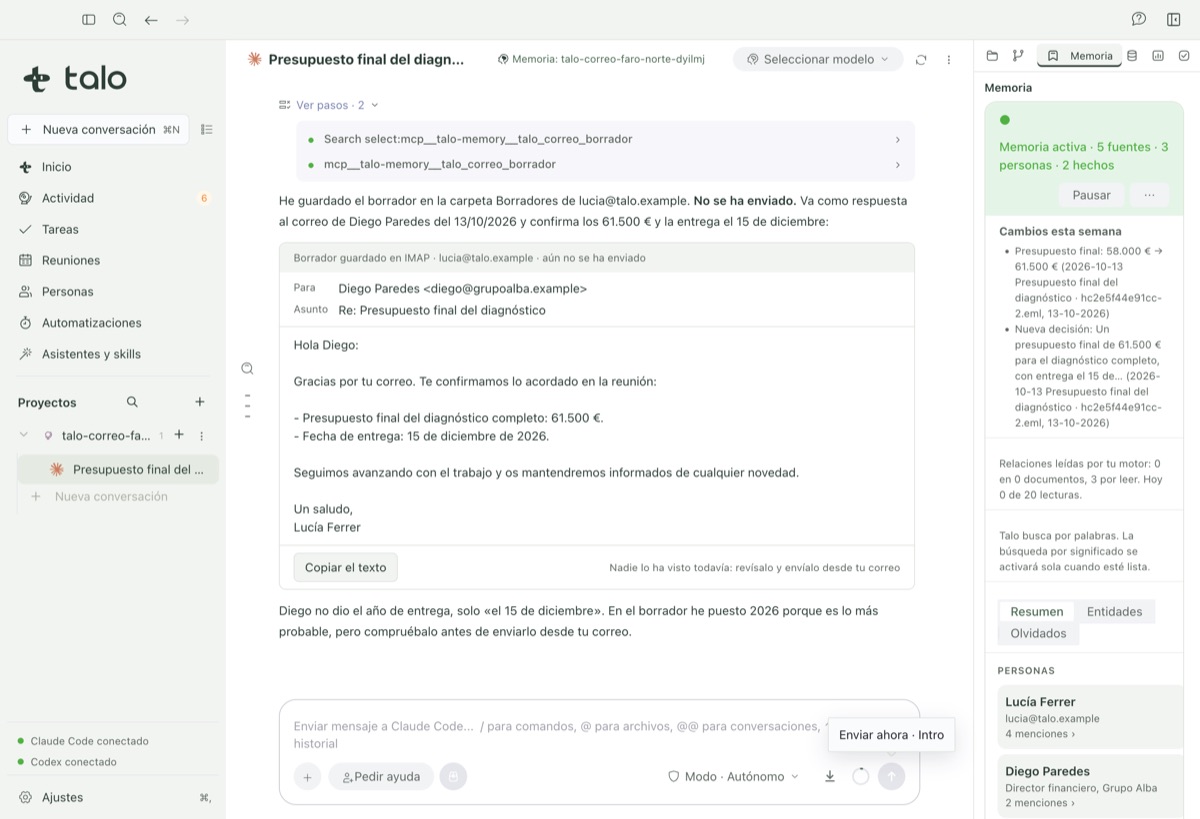

Drafts for you, only ever sends with your decision
Talo reads and searches the mail you choose to link to a project, and drafts replies it leaves in your own Drafts folder. It never sends anything for you, not yet.
-
01
Connect Gmail, Outlook or any IMAP account
One click for Outlook/Microsoft 365 (reuses the Meetings calendar connection), an app password for Gmail, or any other IMAP account.
-
02
You decide what mail enters each project
By default no mail goes anywhere. Link by domain, sender, folder, label, keyword, or a single thread by hand; every linked thread shows why it’s there.
-
03
Treated as data, never as an instruction
An email that tries to instruct the agent ("ignore the above and…") is flagged and given no effect, shown to you so you can see it with your own eyes.
Summaries, search, and drafts with their source
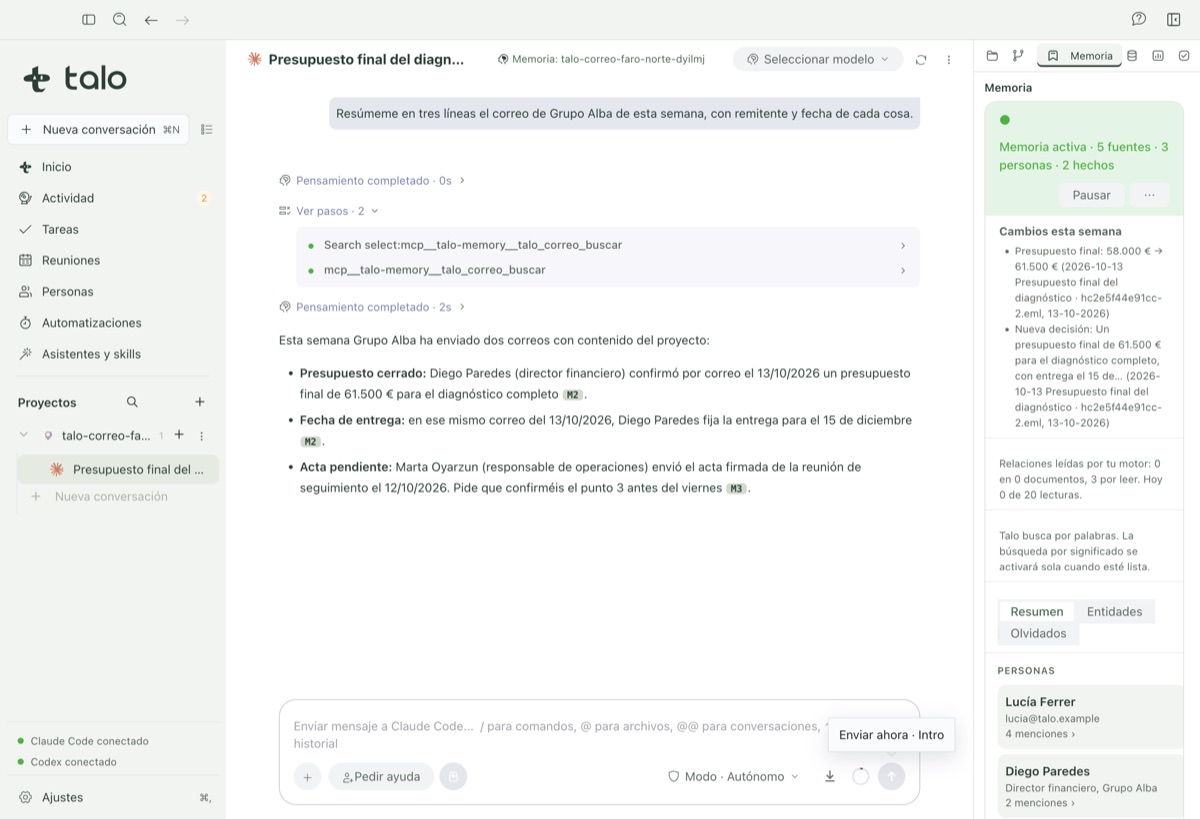
From a project’s Email tab, ask the agent to summarize this week’s mail with sender and date for each fact, search a thread, open and read a message, or draft a reply.
A linked email is indexed like any other document: it shows up in people, facts and "Changes this week" in the project’s memory, and can be cited like any other source.