
Feedback
Report a problem without leaving Talo
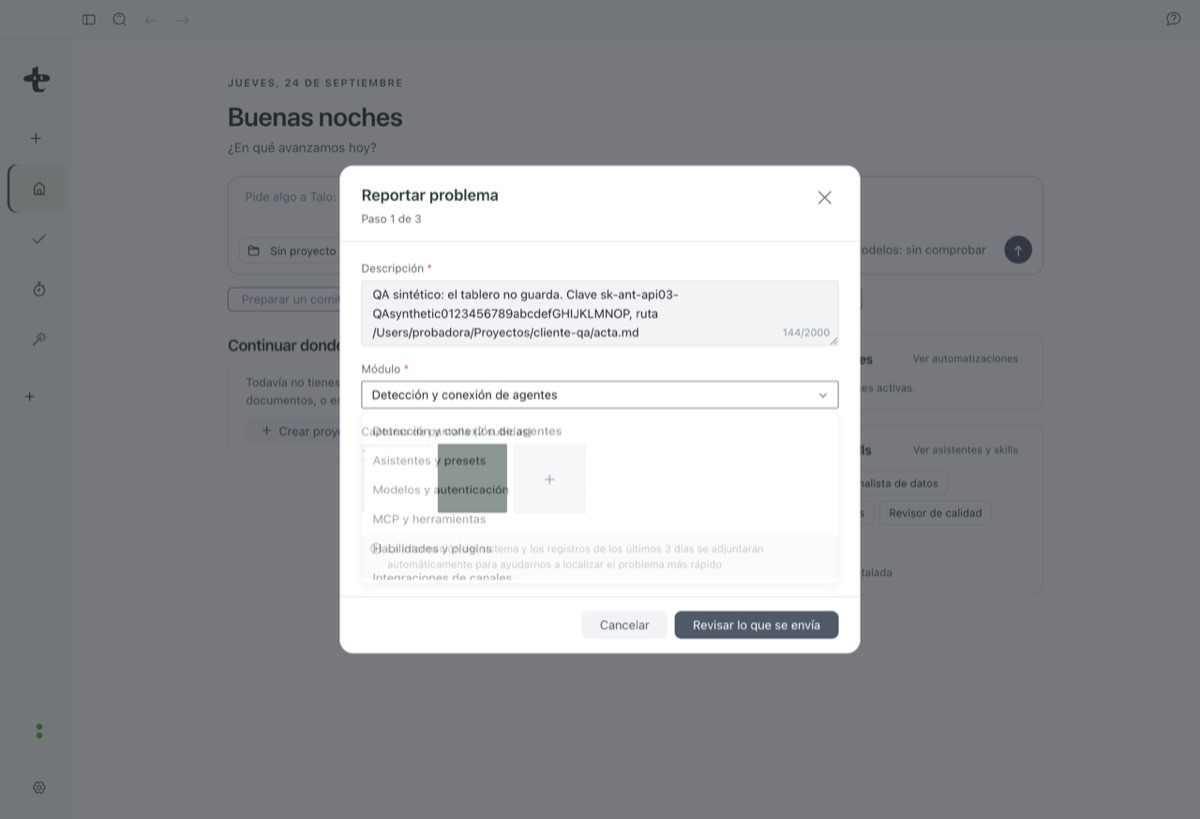
Open "Report a problem" from the top bar, review exactly what will be sent, and it becomes a tracked issue automatically, no GitHub account needed.
-
01
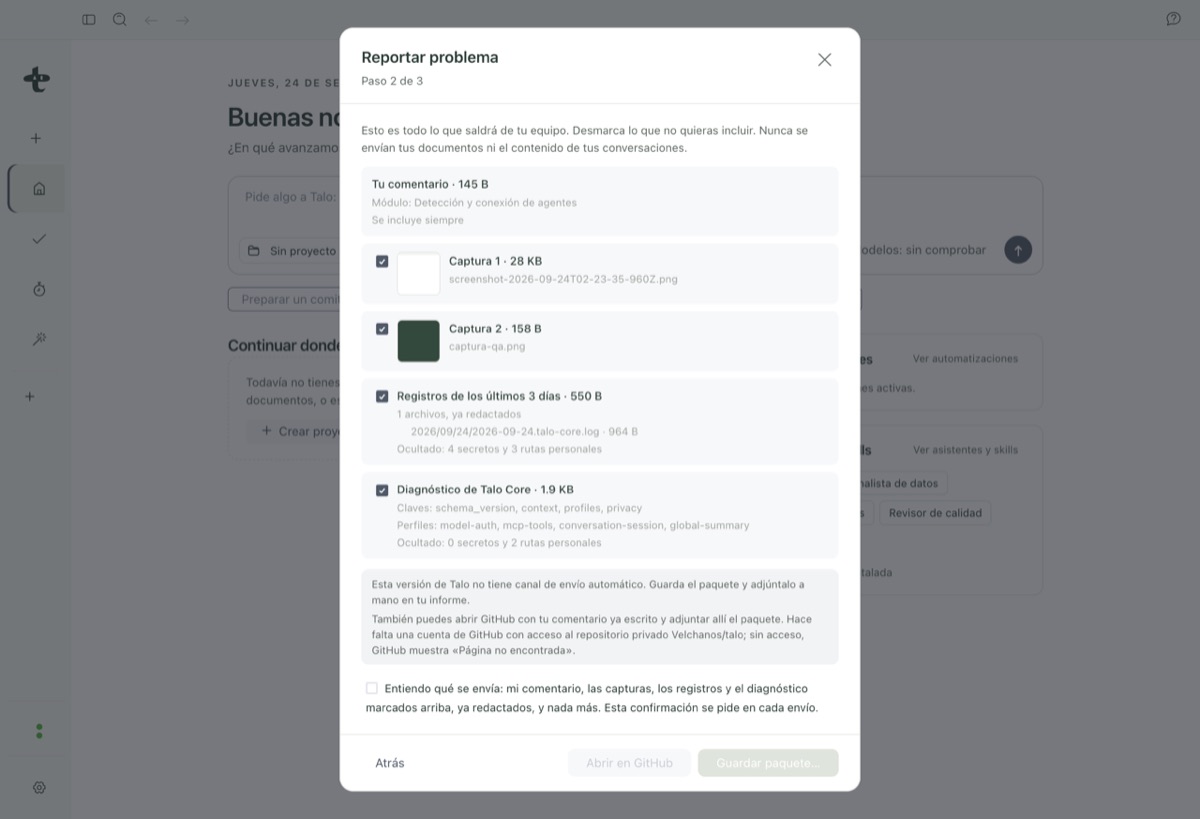
You see exactly what is included
Comment, screenshots, logs and diagnostics, each with its own checkbox, before anything is sent.
-
02
Secrets are hidden automatically
Any secret or personal path is redacted, with a visible count of what was hidden.
-
03
Becomes a tracked issue, no account needed
Send, and it turns into a GitHub issue for the team, or merges into a similar one, without you needing an account.
Review before anything leaves your Mac
A dedicated review screen lists the comment, thumbnails, technical logs (name and size) and the diagnostic, each with its own checkbox. Any secret or path with your username is hidden automatically, with a note like "Hidden: 2 secrets and 1 personal path."
Nothing is sent without you checking the consent box on this screen. If there’s no way to send it directly, Talo says so honestly and offers a fallback: save a package on your Mac, or open a pre-filled GitHub issue.